Understanding OpenTherm vs. On/Off Heating Protocols
Look, I get it. Every time you’re quoting a new heating install, the same question pops up: do you stick with the trusty On/Off, or gamble on OpenTherm? Honestly, there’s no "best" answer—it just depends on the project. Let’s cut through the manual talk and look at what actually happens on the job site.
1. On/Off (Dry Contact): The "Old Faithful"
Think of On/Off as a simple light switch. It’s either on or off.
- The Good: It works with pretty much everything. If you’re doing a quick boiler swap and just want to get paid and get out, this is your best friend.
- The Bad: It’s not smart. The boiler hits 100% capacity, cooks the room, then shuts off. That "hunting" effect makes customers think their heating is broken.
- Use this when: You’re on a tight budget or working with an ancient system that doesn't know what "modulating" means.
2. OpenTherm: The "Intelligent" Choice
OpenTherm is more like a dimmer switch. It tells the boiler, "Hey, just give me 30% heat for now."
- The Good: It keeps the boiler in that "sweet spot" (condensing mode), which saves your client money on gas. Plus, the temperature feels way more stable.
- The Bad: It’s not "plug and play." You’ve got to check the manual and find the OT1/OT2 pins. If you don't, it simply won't work.
- Use this when: You’re doing a high-end install where the client cares about bills and comfort. It makes you look like a pro.
Comparison Table
| Feature | On/Off (Dry Contact) | OpenTherm |
|---|---|---|
| Logic | Simple Switch | Smart Modulation |
| Stability | Cycles (Hot/Cold) | Very steady |
| Installation | Easiest ever | Needs a manual check |
| Best Project | Quick fixes | Efficiency upgrades |
My Advice for the Job Site
Don’t overthink the choice—start by looking at the boiler’s terminal strip and your installation environment.
For Smart/Modulating Control: If you see "OT" or "Modulating" terminals, our OpenTherm range is your best bet for energy efficiency.
For Flexibility(Wireless Solutions): Dealing with a retrofit? Our Wireless or Zigbee units can save you the hassle of running new cables.
For Simplicity: If you just need a straightforward reliable connection, our standard Wired/WiFi On/Off units remain the industry staple.
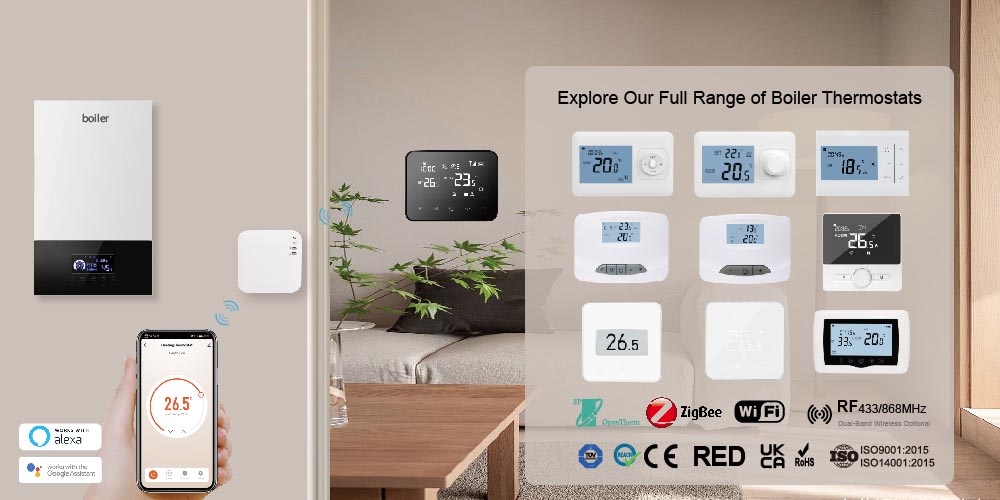
Still unsure? Hit us up at our Technical Knowledge Centre or drop the E-TOP team a message. We’ll double-check your boiler model for you so you don’t have to guess. Check out our latest thermostat range to see what fits your next project.
---------------------------------------------------------------------------------------------------------------------------------------------------------------------
FAQ – Frequently Asked Questions
Q1: Does OpenTherm really save on gas bills?
A: Yes. In properly configured systems, it typically reduces gas consumption by 10-25%.
Q2: Does my boiler support OpenTherm?
A: Most European brand boilers manufactured after 2018 (e.g., Viessmann, Vaillant, Worcester Bosch) support it. Please check your boiler’s technical manual or contact us for verification.
Q3: Is the Wireless OpenTherm signal stable?
A: Yes. E-TOP’s wireless OpenTherm models use advanced RF technology, ensuring rock-solid stability in typical residential environments.
Q4: Can I mix On/Off and OpenTherm in one system?
A: Not recommended. It is best to use a single, consistent control protocol throughout the system.
Q5: What if I see an E1 or communication error after installing an OpenTherm unit?
A: This is usually due to reversed polarity or the boiler not recognizing the protocol. Check that your OT1/OT2 connections are secure, and verify if your boiler’s control panel requires you to manually enable the OpenTherm protocol in the settings menu.
Q6: Do these wireless thermostats require a separate gateway for remote control?
A: No, our WiFi-enabled wireless models have built-in network modules, so no extra gateway is needed. For multi-zone projects, they pair directly with our wireless receiver for seamless system networking.
Q: Will the thermostat still work if my home WiFi goes down?
A: Absolutely. The thermostat has local memory, so it will continue to operate based on your programmed heating schedule even if the internet connection is lost.